![fc-logo.svg]](https://knowledgebase.foodsconnected.com/hubfs/fc-logo.svg)
Step 1: To add a new section to your template, select + Add New Section

Step 2: A window will pop up where you can fill in details such as section name and fields
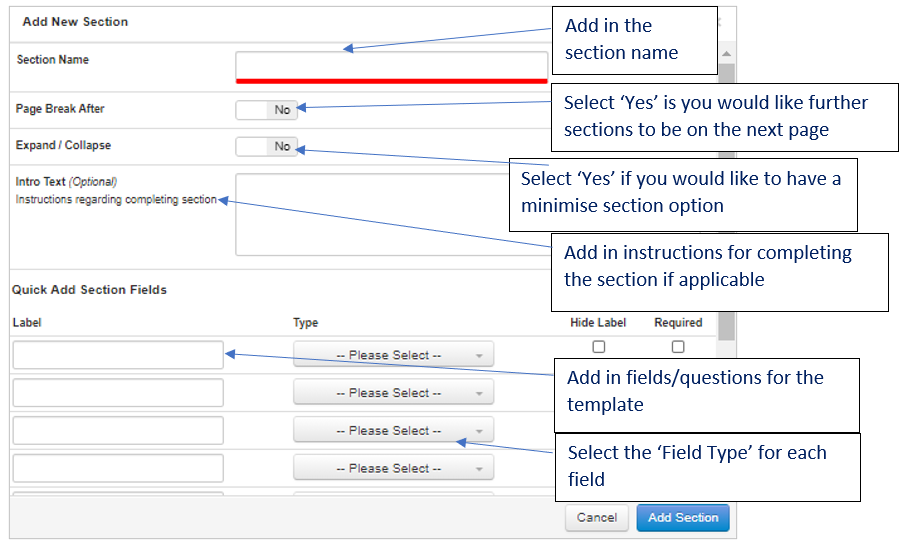
Field Types are explained further in the Appendix.
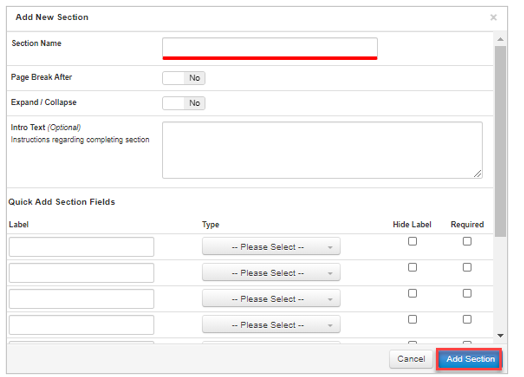
Step 3: Select Add Section
Step 4: To edit/delete the section, select the edit button

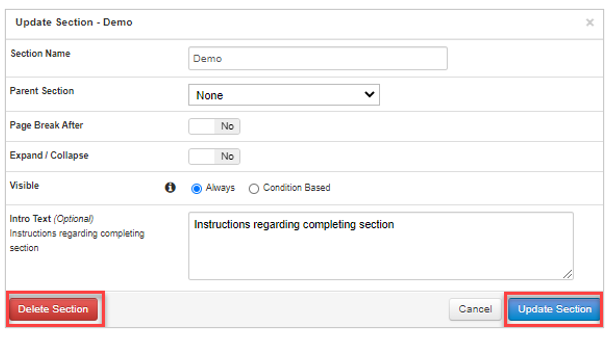
Step 5: Select either Update Section when happy with changes, or Delete Section if necessary